Military BAH Rate Changes When You Get Promoted — And Why You Might Not See It Yet
Military pay has gotten complicated with all the misinformation flying around. As someone who spent years helping junior enlisted navigate their LES statements, I learned everything there is to know about BAH adjustments after promotion. Today, I will share it all with you.
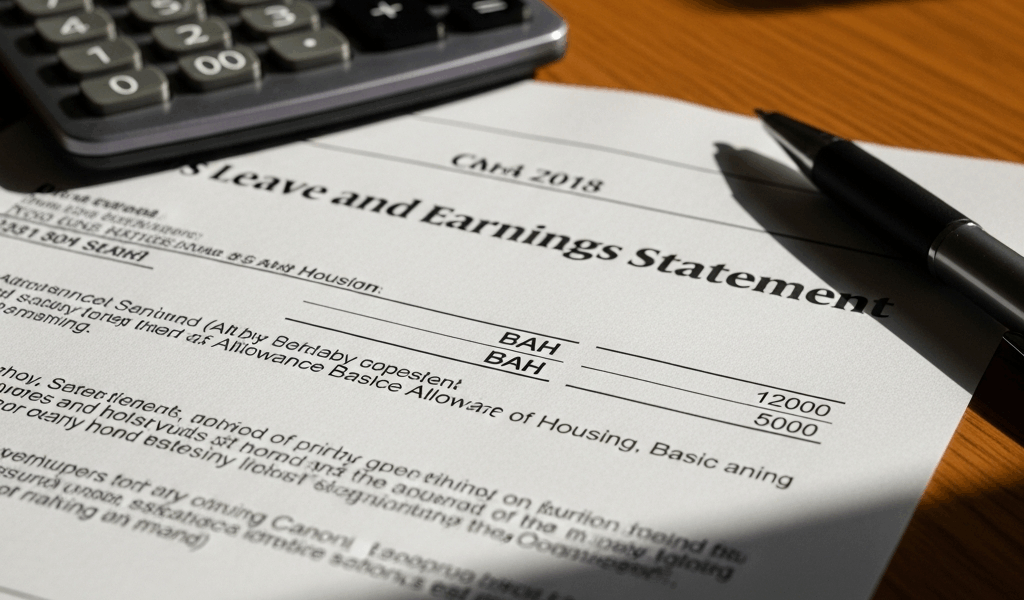
You just got promoted. Big moment. New rank, new responsibility — and supposedly, new money. Then you pull up your leave and earnings statement after your promotion effective date and something feels wrong. The BAH line still says E-5 rate. You’re three weeks out from the ceremony. Finance hasn’t called. Nobody’s mentioned it. You start wondering if someone dropped the ball.
They probably didn’t. But that doesn’t help your bank account right now.
So, without further ado, let’s dive in — because the answer to why military BAH rate changes when you get promoted isn’t as clean as “it updates automatically on day one,” and that gap is exactly where servicemembers lose weeks of sleep unnecessarily.
Why BAH Does Not Always Update on Promotion Day
There’s a gap between your command signing off on promotion orders and DFAS actually touching your pay record. That gap — not finance negligence — is what you’re experiencing.
Your promotion effective date is locked in. Real, legal, official. The paperwork exists, the rank is yours, maybe there was a ceremony, maybe there wasn’t. But DFAS — the Defense Finance and Accounting Service — doesn’t work in real time. Your S1 submits the documentation. DFAS receives it, verifies your new grade matches the orders, cross-references the BAH rate table for your duty station zip code. Then — only then — does your pay record get flagged for adjustment.
That process takes anywhere from a few days to two weeks. Depends entirely on where in the pay cycle your promotion lands.
Probably should have opened with this section, honestly. Here’s the specific scenario that gets people: your promotion effective date is June 15th. DFAS doesn’t finish processing until June 22nd. Your June 30th LES still shows the old rate. The adjustment shows up July 15th instead. You’ve now spent a full month convinced something went wrong — when really, it was just Tuesday.
Mid-month promotions are the worst for this. The system processes pay in blocks. Inserting a rate change mid-cycle means manual intervention, and DFAS batches those rather than handling them one at a time. So that June 15th promotion date? It’s almost guaranteed to miss the June 30th LES entirely.
Your effective date still matters — that’s what determines back pay. But the date you actually see new money hit your account is almost always one pay period behind, sometimes two.
How Much Your BAH Actually Changes After Promotion
Let’s put a real number on this. Guessing is useless.
Fort Campbell, Kentucky — home of the 101st Airborne, massive base, promotions happening every single month. An E-5 with dependents currently draws $1,593 in BAH. An E-6 with dependents gets $1,751. That’s $158 more per month. Doesn’t sound life-changing, but that’s a week or two of groceries for a family of four. Real money.
Now look at Camp Pendleton, California. Same E-5 to E-6 jump, completely different math. E-5 with dependents: $3,346. E-6 with dependents: $3,614. A $268 difference. In California, that bump covers close to a week of rent. That’s what makes location-based BAH endearing to us servicemembers who’ve done back-to-back CONUS moves — the numbers aren’t arbitrary. They’re zip code specific.
But what is the BAH rate table, exactly? In essence, it’s a published chart matching your rank, dependency status, and duty station zip code to a fixed monthly dollar amount. But it’s much more than that — it’s also your legal benchmark for what DFAS owes you. The Office of Housing Assistance updates the table every January 1st. Get promoted in October, you’re using the January rate — not some prorated figure.
Here’s the piece that actually confuses people mid-process: dependent status changes. Say you’re promoted while unaccompanied, but your family arrives before DFAS processes the paperwork. You’re owed the dependent rate from your promotion effective date — not the processing date. Same rank, same location, roughly $200 to $400 more per month depending on your duty station. That’s a completely separate calculation from the rank bump itself, and it’s where most pay errors actually hide.
Pull the OHA BAH rate table for your zip code and new grade before you do anything else. Write the number down on paper. That’s your target figure. If your LES doesn’t match it within two pay periods of your promotion effective date, you have an actual problem worth escalating.
Steps to Check If Your BAH Updated Correctly
Checking yourself takes fifteen minutes. Waiting for someone else to notice takes months.
- Log into MyPay. CAC or DS Logon — whichever your branch uses.
- Navigate to the LES section and pull the most recent pay period available.
- Find the BAH line item. It’ll appear as “BAH” or “BAH w/dep” depending on your dependency status.
- Compare that dollar figure against the OHA rate table for your specific zip code and new rank. Match the rank header. Match the dependency column exactly.
- Check the effective date field on the LES — that small notation tells you exactly when DFAS applied the change to your record.
The BAH line lives in the “Deductions and Allowances” section, right side of the LES. First LES after promotion effective date will likely still show the old rate — that’s normal. The second LES should show the new rate, and the effective date field should be on or shortly after your promotion date. If both of those things are true, you’re squared away. Move on.
If the effective date shows a date three or four weeks after your actual promotion date, that’s the processing lag at work — annoying but not an error. If the dollar amount is wrong even after the effective date shows correctly, that’s a different problem entirely and needs to go to finance immediately.
What to Do If Your BAH Is Still Wrong After Promotion
Two full pay periods have passed. The rate table doesn’t match your LES. Here’s what you actually do — don’t make my mistake of waiting around hoping it self-corrects.
First stop: your S1 section or personnel office. They have the original promotion paperwork and can verify what was submitted to DFAS and when. Bring three things: your promotion orders, a printed copy of the current OHA BAH rate table showing your zip code and new rank, and your most recent LES with the incorrect amount circled. Ask them to file a discrepancy report with DFAS — or if your unit has a direct finance contact, escalate it there.
Finance offices can see exactly where your promotion request sits in the DFAS queue. I’m apparently someone who needed to be told this twice before I used it, and going directly to finance with documentation works far better than emailing S1 and waiting. They can flag it for priority processing when there’s a legitimate delay with clear paperwork behind it.
One thing worth knowing: servicemembers are legally entitled to back pay from the promotion effective date. Not the processing date. Not the pay date. The effective date. If DFAS corrects the error three pay periods late, you get a lump sum adjustment retroactive to the first pay period after your effective date. It shows up on your LES as something like “BAH Adj” or “Retroactive BAH.” It’s not a gift — it’s money that was already yours.
Correction timeline after a discrepancy report: typically one to two pay periods. Finance needs the original orders, the current rate table, and clear documentation. Don’t expect a phone call. Watch your LES instead.
Special Cases That Complicate the BAH Update
Promoted During a PCS Move
Frustrated by trying to juggle a rank change and a cross-country move simultaneously, plenty of servicemembers have arrived at a new duty station with BAH still set to the old location’s rate and old rank. DFAS receives a rank change request and a duty station change request at the same time — these don’t always sync inside the system. You might be at Fort Bragg getting paid San Diego BAH at E-5 rates when you should be getting Bragg rates at E-6. Contact finance at your new installation immediately with both sets of orders. This new combination of rank and location requires its own separate verification, and the system won’t catch it automatically.
Promoted While Deployed
Deployment slows everything down. Personnel offices are sometimes in completely different time zones, communication lags, and promotion orders can take weeks to make it back to the main office. DFAS processes late. In the meantime, you’re owed the new BAH rate from your effective date — full stop. When you redeploy and review your LES, look for a retroactive lump sum adjustment. If it isn’t there, contact your S1 at home station — they’ll have the deployment orders and can coordinate directly with finance to trigger the correction.
Promoted While on TDY
TDY doesn’t change your BAH rate — that stays tied to your permanent duty station. But TDY delays paperwork reaching S1, which delays the DFAS submission, which delays everything downstream. Your promotion might be sitting in a manila folder waiting for you to walk back through the door. If your TDY runs longer than two or three weeks and you have a promotion coming, call your S1 directly and ask whether the paperwork has been submitted yet. One phone call beats two missed pay periods.
Your promotion is real and your new BAH is owed from day one. The system just takes time to catch up — and knowing exactly where that lag lives means you know precisely when to follow up, and when to escalate.




Stay in the loop
Get the latest military plan updates delivered to your inbox.